DHCP
1. Overview
The DHCP server is one of the fundamental elements of the infrastructure. It is installed on all machines in the TRAFFIC-PLANE pool.
Each machine that connects to the network systematically obtains an IP, randomly if the MAC address is not registered in the DNSMASQ registry or statically otherwise. This occurs after a DHCP request:
- DHCPDISCOVER — the client looks for a DHCP server
- DHCPOFFER — the server offers an address
- DHCPREQUEST — the client requests to use this address
- DHCPACK — the server confirms
Each DHCP server uses DNSMASQ.
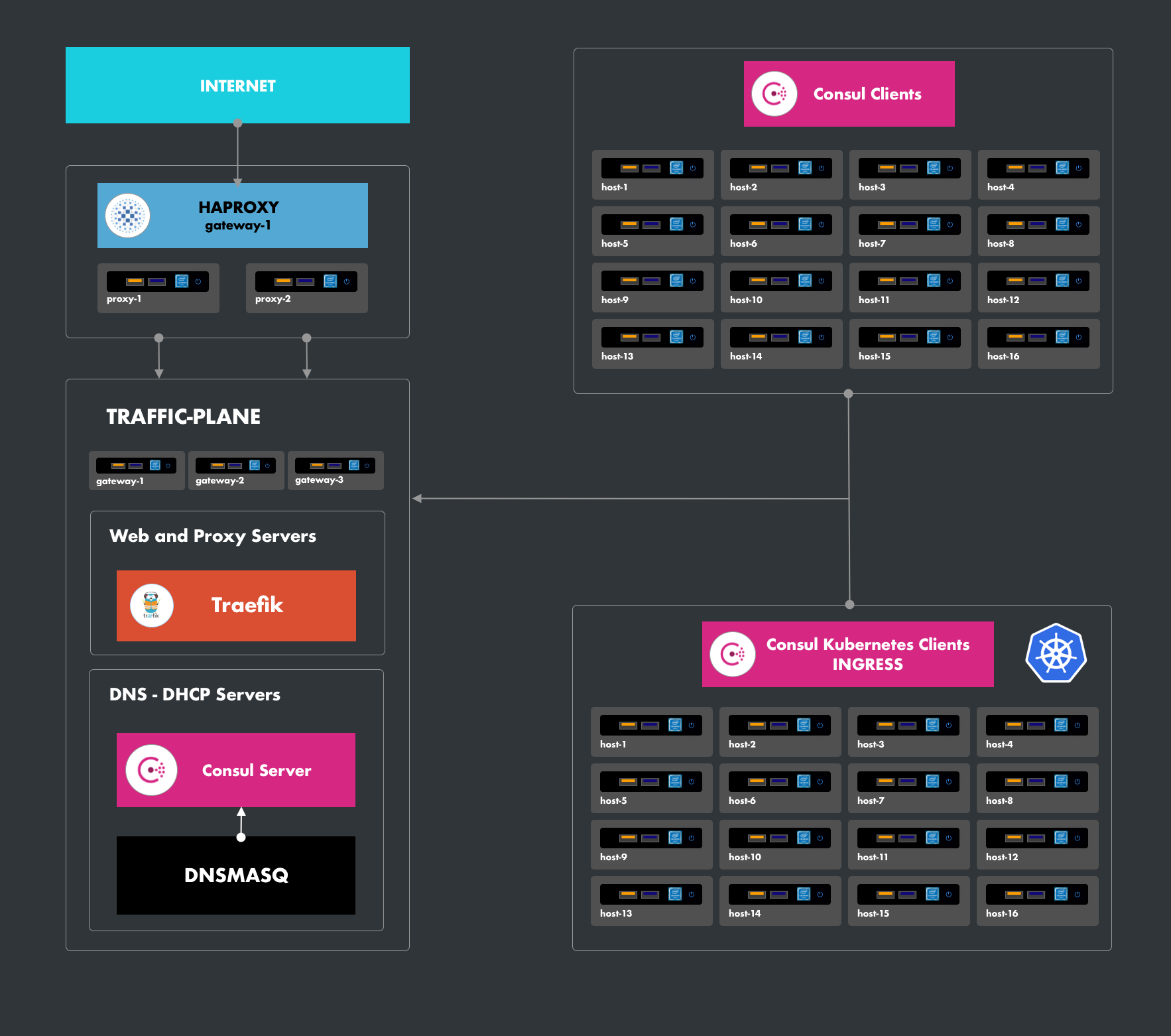
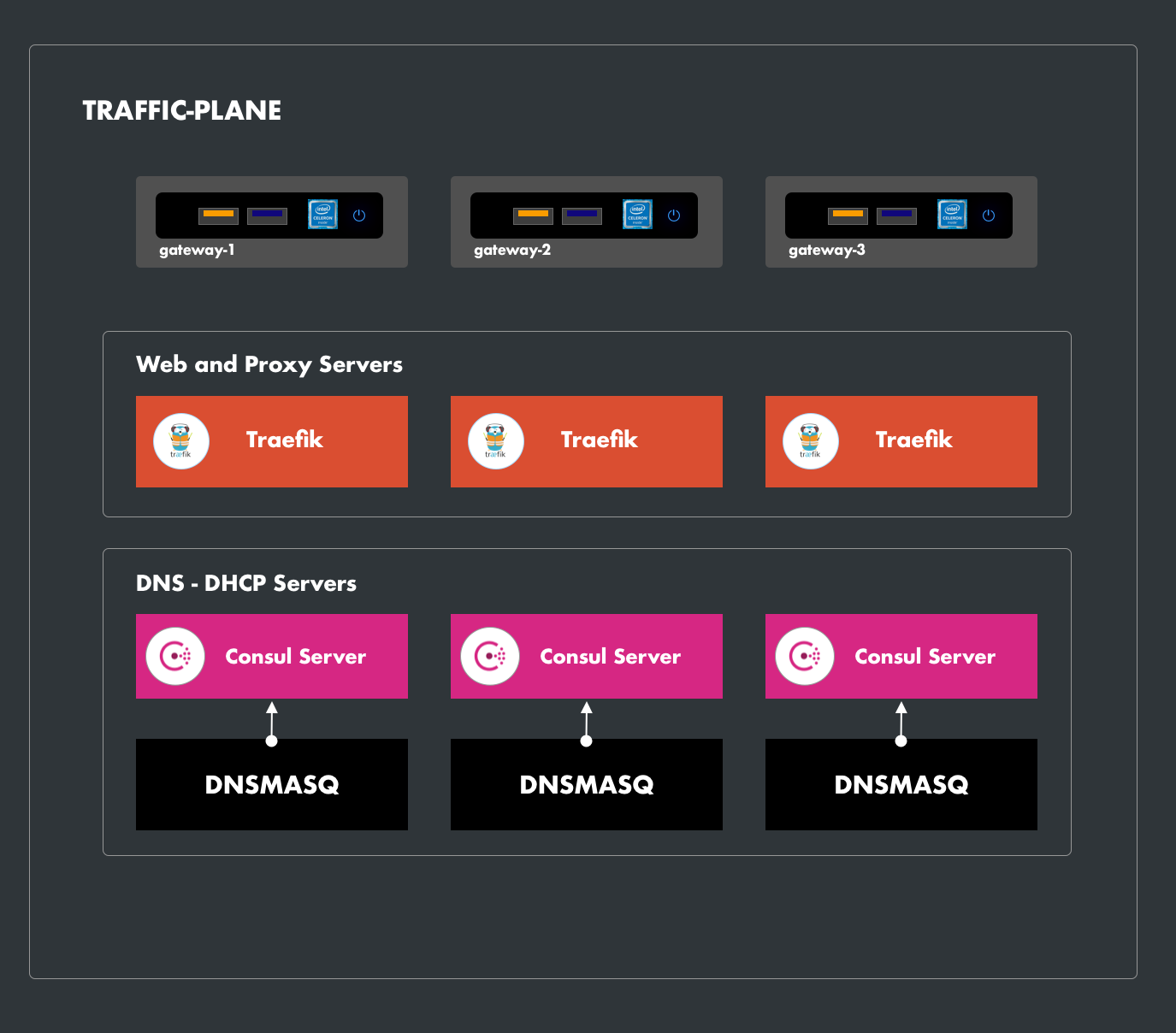
2. DNSMASQ
Dnsmasq is a lightweight server designed to provide DNS, DHCP, Bootstrap Protocol, and TFTP services for a small network, or even for a workstation. It allows you to offer a naming service for internal network machines not integrated into the global naming service (i.e., the Internet DNS service). The naming service is associated with the addressing service so that machines whose DHCP lease is provided by Dnsmasq can automatically have a DNS name on the internal network. The software offers static or dynamic DHCP service.
2.1. Installation
Dnsmasq is developed as an Ansible role in the Protobox framework and used in the playbook-supervisor-install
- name: Update DNS
  hosts: ["traffic-plane"]
  become: true
  user: supervisor
  vars:
    runner: systemd
  roles:
  - role: networking/setup
    vars:
      install:
        dns: true
Enable only DHCP without DNS
# Inventory
host-x:
  arch: x86_64
  os: debian_12.11
  model: nuc
  ansible_host: 192.168.x.x
  dnsmanager: dnsmasq
  netmanager: networkd
  netmonitor: factory
  dnserver: false
  dhcpserver: true
  networks_interfaces:
    factory:
      dhcp: true
      ip: 192.168.x.x
      ether: xx:xx:xx:xx:xx:xx
dnservices:
  external:
    port: 53
    addr: vip
    ifaces: ["factory", "box"]
    server: dnsmasq
  internal:
    consul:
      port: 8600
      ifaces: ["factory", "core"]
      server: consul
      extension: "service.factory"