Services
1. Types of Services
Kubernetes services are primarily used to expose Kubernetes deployments. There are three types of services:
- ClusterIP
This type of service is used for internal communication between different pods. - NodeIP
Unlike ClusterIP, NodeIP allows externalizing services. They expose their port to all nodes in the cluster. - LoadBalancer
LoadBalancers are somewhat similar to NodeIP but are only functional in the presence of an additional controller that assigns them an IP. LoadBalancers make a request to a dedicated controller for IP assignment.
2. Ingress
An ingress is a Kubernetes element that acts as a web server and routes traffic to other services based on endpoints. Ingresses are managed by one or more controllers called ingress controllers, which maintain this service.
Use Case:
When the cluster is directly exposed to the outside, meaning requests pass directly through the cluster's entry point, this type of service is suitable and directs the requests.
Disadvantage:
Ingress replication is not possible (to my knowledge). While ingress controllers are replicable, when the ingress container controller is out of service, the instance is lost, and the ingress does not failover. This creates a single point of failure in the cluster. In the context of high availability, no point of failure is acceptable.
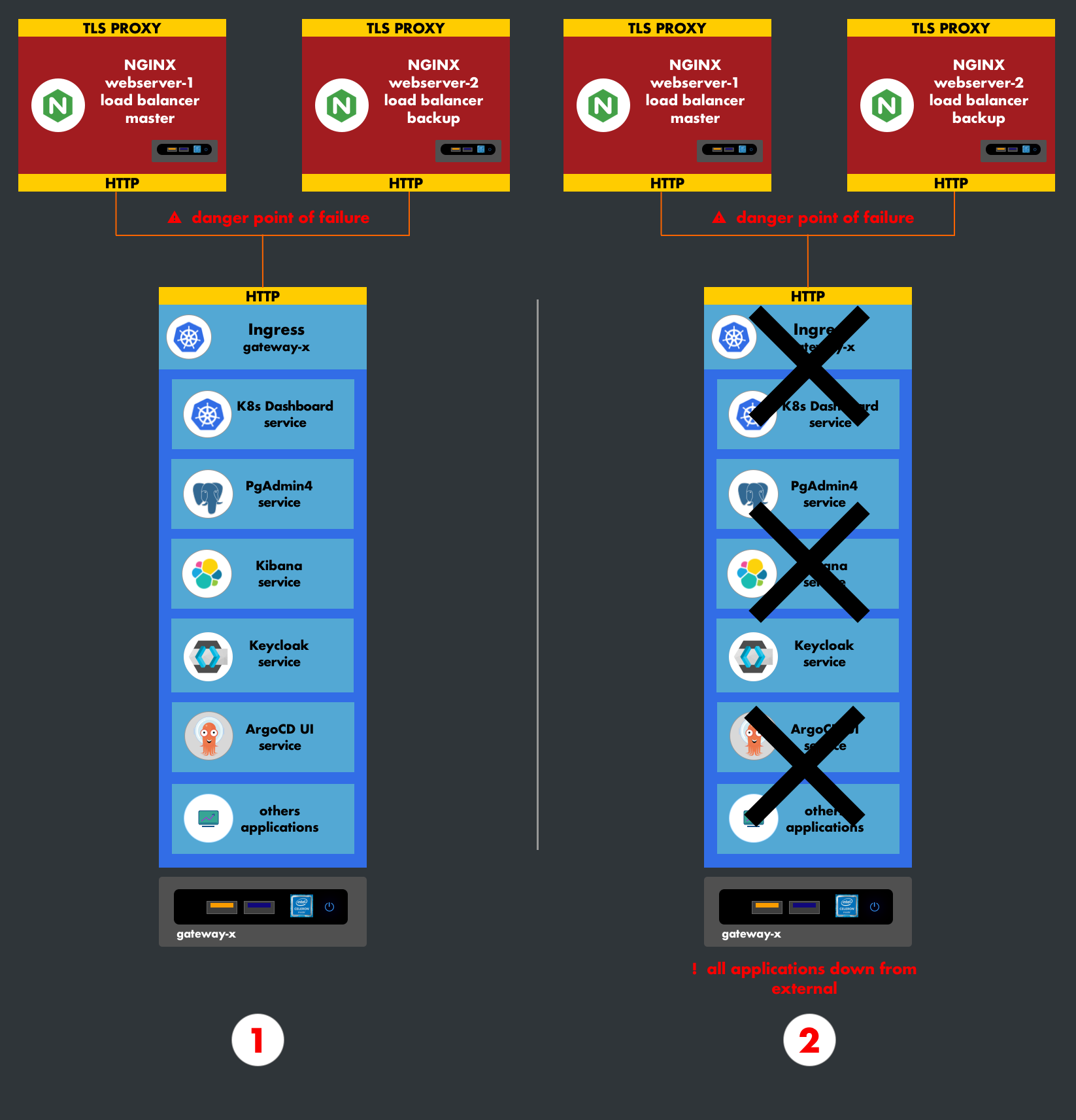
3. NodeIP
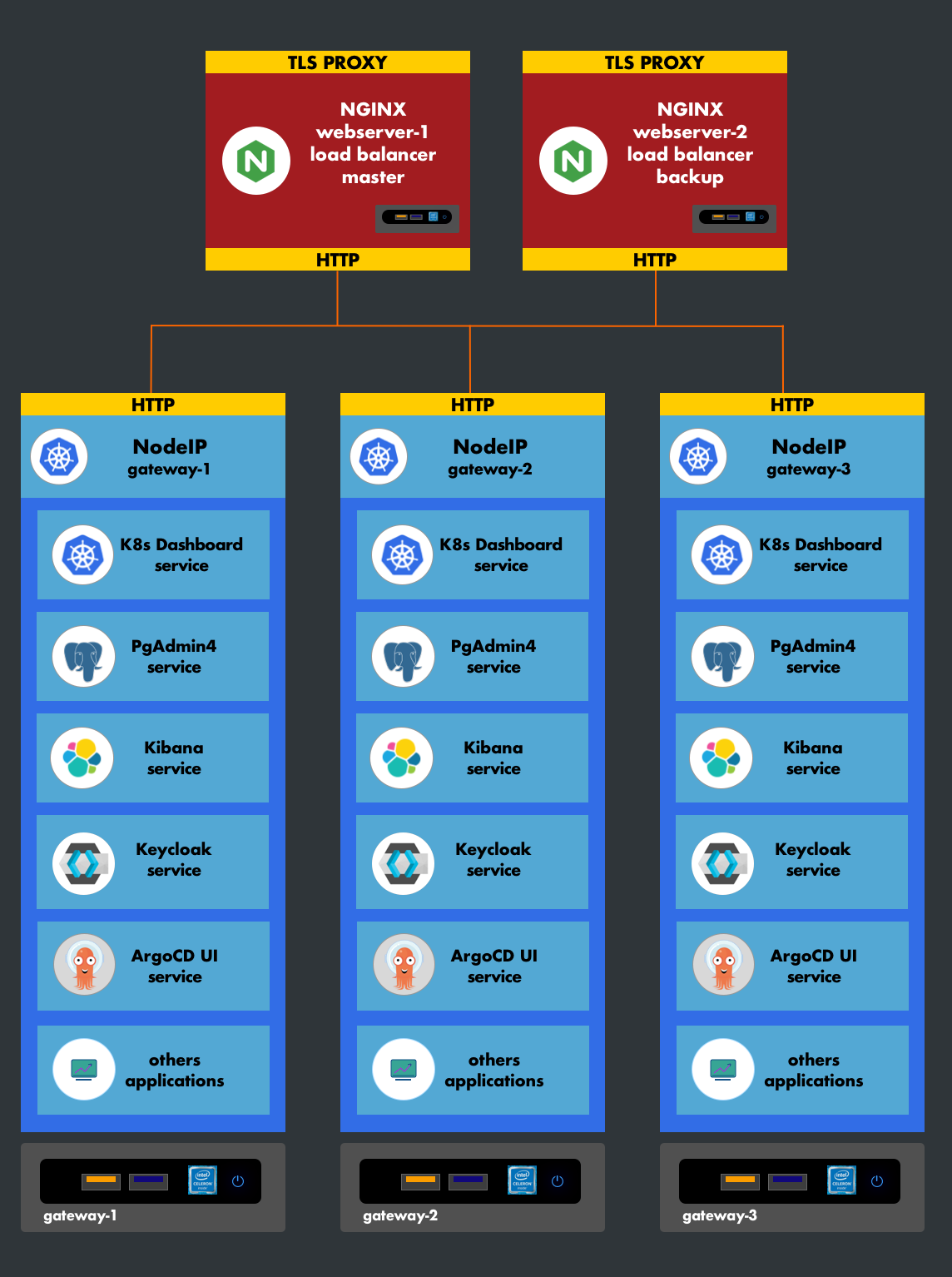
NodeIP has the advantage of natively replicating a service. It exposes a service on all machines in the cluster.
Use Case:
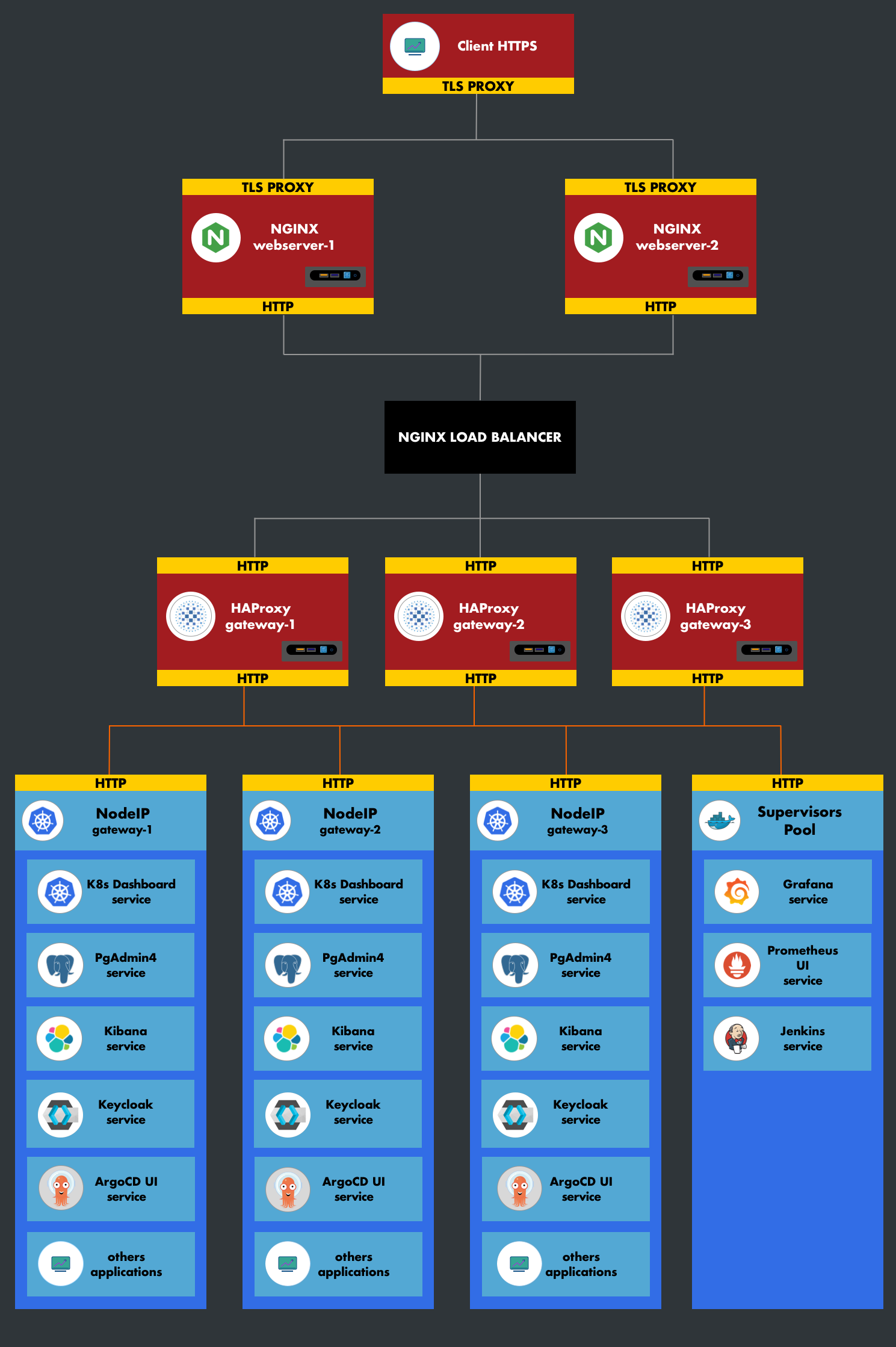
Our current cluster uses this type of service. The infrastructure integrates a web server and a reverse proxy at the front (before the cluster network) in the same private network as the Kubernetes nodes (gateway-pool). It would be preferable not to reproduce another web server in the cluster. Since a service is replicated on all Kubernetes machines, the front-facing Nginx will apply load balancing to them. In terms of security, communication occurs in a segmented network, and our nodes are not accessible from the outside.
4. Architecture
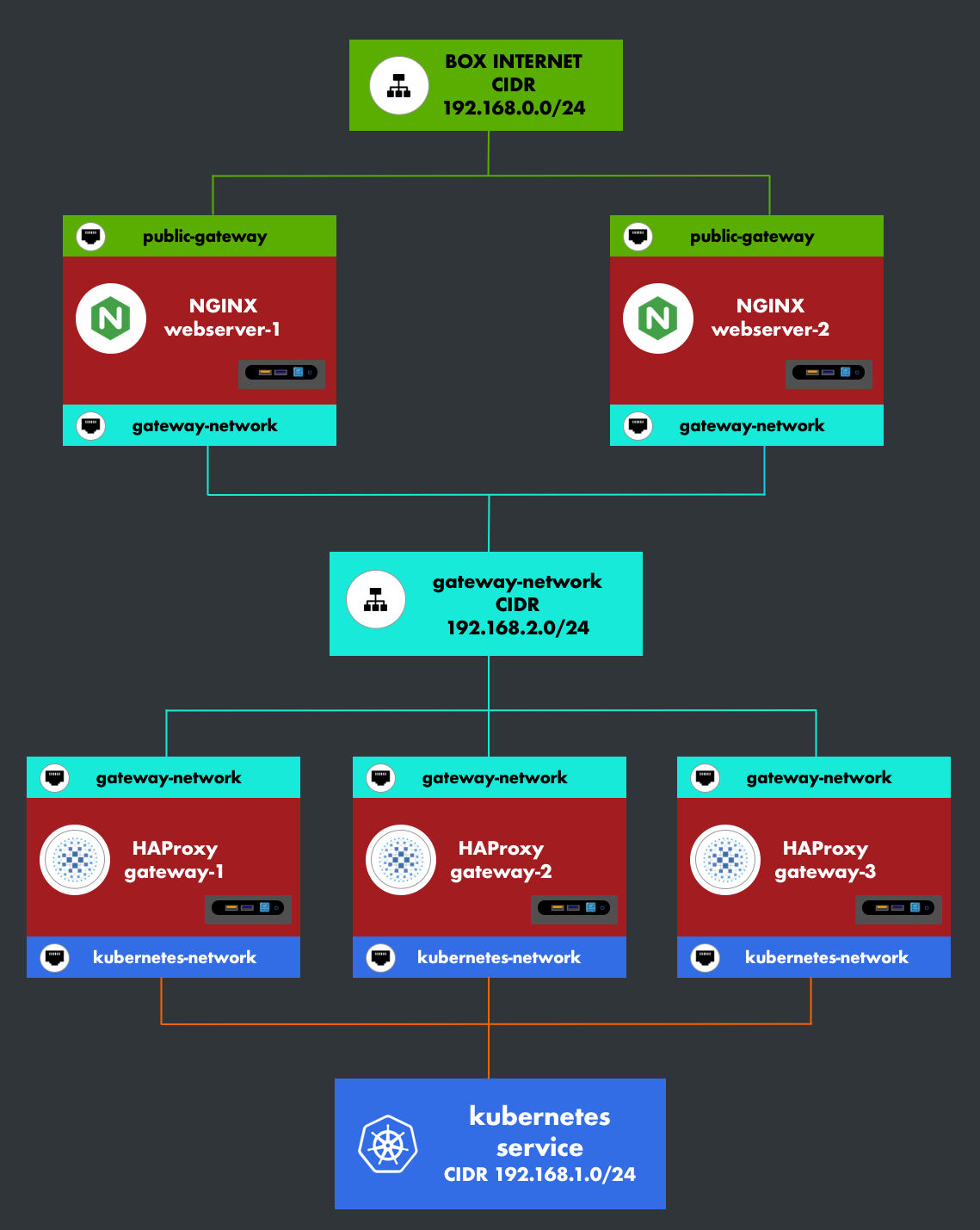
The Kubernetes cluster is isolated from the web servers (Nginx) and communicates through a reverse proxy (HAProxy). This provides an important layer of security.
5. High Availability
6. Externalizing a Service
To expose a service on the internet, follow these steps:
1. Define and apply the Kubernetes manifest for the service.
Example:
---
apiVersion: v1
kind: Service
metadata:
  labels:
    app: pgadmin
  name: pgadmin
  namespace: postgresql
spec:
  ports:
  - name: padmin-port
    nodePort: 30165
    port: 80
    targetPort: 80
  selector:
    app: pgadmin
  type: NodePort
---
2. Declare the service in HAProxy via the groupvars kube_gateway_pool.
Example:
----------------------------------------------------------
| path: inventories/protobox/kube_gateway_pool/proxy.yml |
----------------------------------------------------------
pgadmin4:
  mode: http
  address: "*"
  port: "{{ app.pgadmin4.port }}"
  destination:
    group:
      name: kube_gateway_pool
      port: "{{ app.pgadmin4.port }}"
    balance: roundrobin
    options:
      - httplog
3. Configure the web server Nginx via the groupvars webservers_pool.
Example:
----------------------------------------------------------
| path: inventories/protobox/webservers_pool/routes.yml |
----------------------------------------------------------
pgadmin4:
  webserver:
    - location: /v-admin/
      params:
        proxy_set_header:
          type: repeat
          values:
            Host: $http_host
            X-Real-IP: $remote_addr
            X-Forwarded-For: $proxy_add_x_forwarded_for
        proxy_pass:
          values: http://stream_vadmin
  stream:
    name: stream_vadmin
    port: 30164
    group: kube_gateway_pool